Download Binolla App
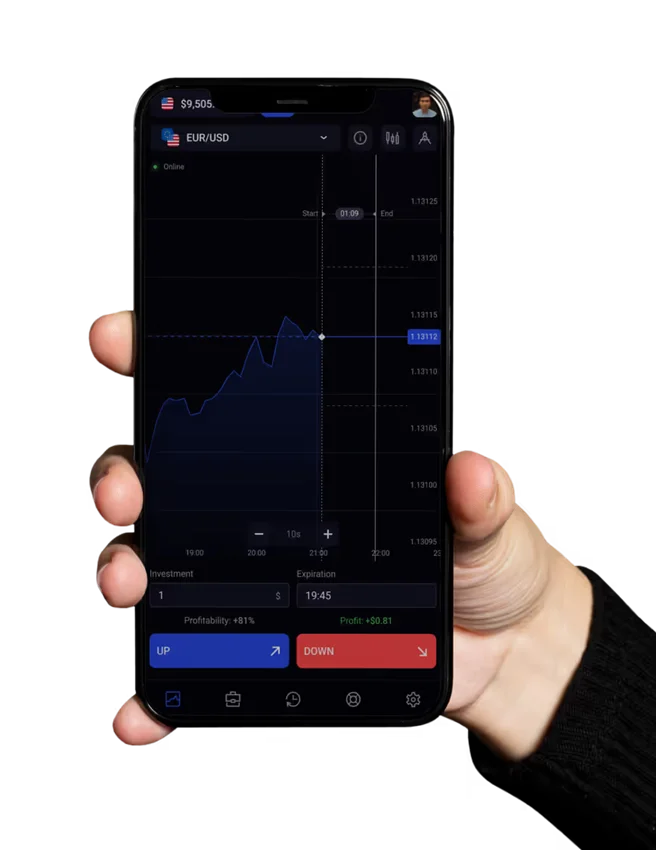
Binolla is a modern trading platform that utilizes progressive web technologies instead of traditional app. This article will cover all methods of installing Binolla on various devices.
What is Binolla PWA and Why Does It Matter?
Ever wondered why some platforms skip the app stores completely? Binolla takes this approach with good reason. They’ve built a Progressive Web App (PWA) that works across all your devices without the typical download headaches.
You’ll love what this means for you:
- Use it anywhere – phone, tablet, laptop – same experience
- No gigabyte-eating downloads clogging your storage
- Updates happen automatically while you sleep
- Opens faster than traditional apps
- Every feature works just like a native app would
I’ve tested dozens of trading platforms, and frankly, more should follow Binolla’s lead here. The app store model is becoming increasingly outdated for financial tools that need constant updates.
How to Install the Trading App
Getting Binolla on Your Android Device
Forget hunting for APK files – they don’t exist for Binolla. The installation is actually much simpler:
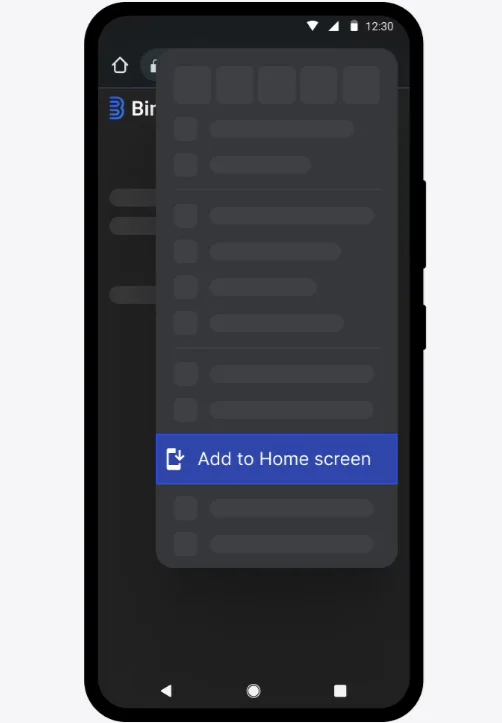
- Open Chrome and go to binolla.com
- Tap the three dots in the corner
- Select “Add to Home screen”
- Hit “Install” when prompted
- Done!
Look at your home screen – you’ll see the Binolla icon ready to use. Tap it, and you might forget it’s not a traditional app. The experience is that seamless.
iPhone and iPad Installation
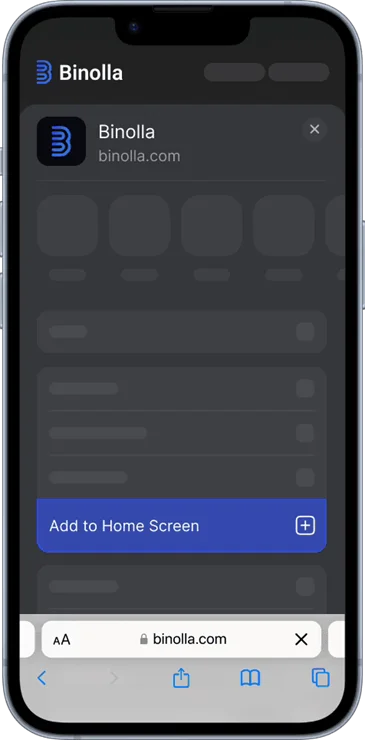
- Visit binolla.com in Safari
- Tap the share button (the square with the arrow)
- Choose “Add to Home Screen”
- Enjoy your new trading app!
How to Download For PC
Many traders prefer larger screens for detailed analysis. Getting Binolla on your computer is straightforward:
For Windows and Mac
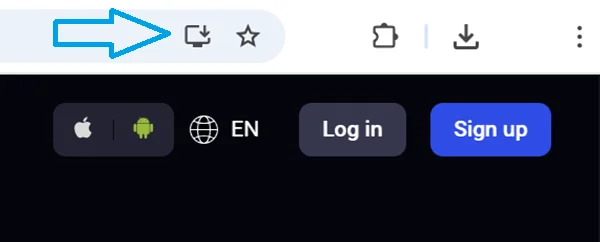
When you visit binolla.com, look for a small icon in your address bar – it usually looks like a computer with a download arrow. Click it, confirm, and you’re set! This works in Chrome, Edge, and Opera.
If you don’t see the icon:
- Go to binolla.com in Chrome or Edge
- Click the three dots menu
- Look for “Install Binolla” or the Apps section
- Confirm installation
- Find Binolla in your Start menu or desktop
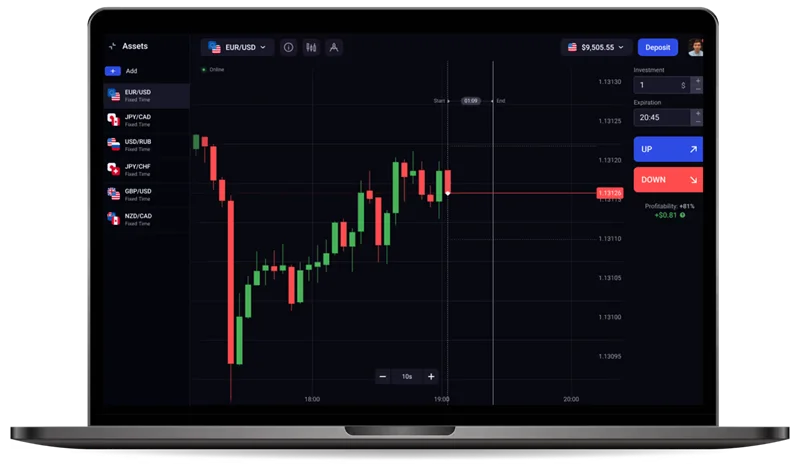
Will Binolla Run On My Computer?
| Component | Windows | macOS |
| OS | Windows 7+ | macOS 10.13+ |
| Processor | Any Intel/AMD from last decade | Any Intel Mac from last decade |
| RAM | 2 GB | 2 GB |
| Internet | 1 Mbps connection | 1 Mbps connection |
| Browser | Chrome 70+, Firefox 63+, Edge 79+ | Safari 13+, Chrome 70+ |
My Take on Binolla's Approach
I’ve watched trading platforms evolve for years, and Binolla’s PWA strategy represents where the industry should be heading. While some traders initially resist web-based platforms, the benefits quickly become obvious with use.
The reality is that dedicated desktop apps are becoming dinosaurs – bloated, resource-hungry, and maintenance nightmares. Binolla’s approach gives you the same power without the technical baggage.
Try installing Binolla today – the ten-second setup might change how you think about trading platforms forever.
Risk Disclosure: Trading financial instruments involves significant risks and may not be suitable for every investor. There is a chance of losing the entire invested capital. Please make sure that trading is allowed under the laws of your country before proceeding.